
how to EXIT eCo.Repair
You leave eCo.Repair by:
how to EXIT eCo.Repair
You leave eCo.Repair by:
 |
Selecting the Home button on the eCo.Repair Menu Bar. |
| You will automatically be logged
out of eCo.Repair
and the following two message will be displayed in your browser window: |
|
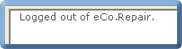 is displayed in the top, left corner of your browser window. |
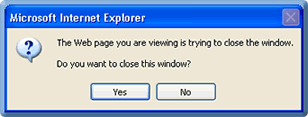 |
|
is displayed in the centre of your browswer window. |
|
| If you select the: | ||
| § | Yes button, the browser window you are viewing will be closed. | |
| § | No button, the browser window you are viewing will remain displayed. | |
| Nov 2008 Issue 08.11 eCo.Repair Version 6.0 |
|
© British Telecommunications plc 2009
|